

Summary:
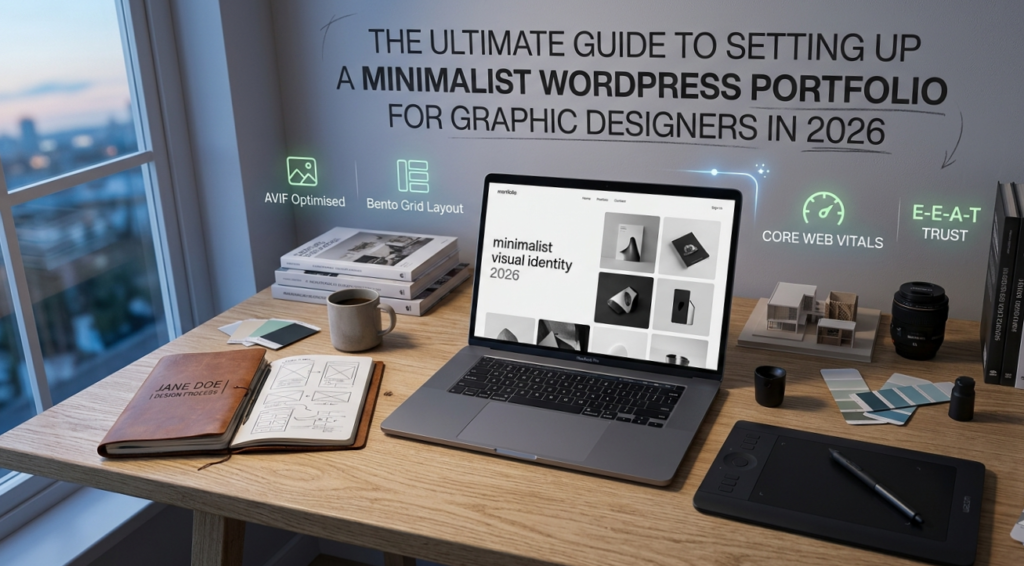
To build a high-ranking minimalist WordPress portfolio for graphic designer in 2026, designers should adopt a Bento Grid layout for visual storytelling and a technical stack centered on GeneratePress Premium and GenerateBlocks. Key performance targets include an Interaction to Next Paint (INP) score under 200ms and the use of AVIF image formats to ensure the Largest Contentful Paint (LCP) stays below 1.2 seconds.
The 2026 Portfolio Philosophy: Why “Less is More” Wins High-Ticket Clients
In the landscape of 2026, a graphic designer’s portfolio is no longer just a digital gallery; it is a Trust Engine. As AI-generated art saturates the web, human art directors at Tier-1 agencies (USA, UK, Canada) are looking for intentionality.
Minimalism in 2026 is defined by Cognitive Ease. By stripping away heavy animations and cluttered sidebars, you allow your creative work to breathe. This approach directly aligns with Google’s “Helpful Content” update, which rewards sites that provide a frictionless user experience (UX).
The Psychology of White Space (Macro-Space)
White space is not “empty” space; it is a powerful design tool. In a minimalist portfolio, white space acts as a visual separator that prevents “Choice Overload.” When you present fewer elements, you exert more control over where the client’s eye lands first.
The 2026 Technical Stack: Building on a Scalable Foundation
Before you upload your first design, you must ensure your “Digital Infrastructure” is solid. In 2026, search engines treat Performance as a Core Ranking Signal.
Managed Cloud Hosting vs. Shared Hosting
While shared hosting is budget-friendly, it often fails Core Web Vitals tests due to “Bad Neighbor” effects. For a professional portfolio, Managed Cloud Hosting (e.g., Cloudways, Nixihost, or Vultr) is the gold standard. It offers:
- Dedicated Resources:
Your site won’t slow down if another site on the server gets a traffic spike.
- Global CDNs:
Essential for serving your high-res graphics to international clients with zero latency.
Domain Strategy: .Design vs. .Com
In 2026, TLDs (Top-Level Domains) like .design, .studio, and .agency are highly recognized. They offer immediate “Entity Recognition” for AI engines, signaling that your site is a creative hub.
WordPress Configuration: Tuning the Engine for Speed
Standard WordPress installations come with “bloat” that can hinder your SEO. Follow this checklist to optimize your backend:
- WordPress Dashboard Overview:
Clean out default plugins (like Hello Dolly) and unused themes.
- Permalinks and URL Structure:
Always use the “Post Name” structure (/%postname%/). It is clean, memorable, and preferred by both AEO engines and human users.
- User Management:
If you are working with developers or interns, use Least Privilege roles. Give them “Editor” or “Contributor” access never “Administrator” unless necessary.
- General Settings:
Ensure your Timezone, Site Title, and Tagline are correctly configured to match your Visual Identity.
The “Minimalio” Framework: Theme Selection and Customization
Your choice of theme dictates your site’s “Total Blocking Time” (TBT). In 2026, the industry has shifted toward Full Site Editing (FSE) and lightweight frameworks.
The GeneratePress + GenerateBlocks Advantage
I recommend the GeneratePress Premium theme combined with the GenerateBlocks plugin.
- Zero Bloat:
It only loads the CSS you actually use on the page.
- Performance:
It consistently scores 100/100 on Google PageSpeed Insights.
- Design Freedom:
It allows you to build custom Bento Grids without needing a heavy page builder like Elementor.
Implementing the Bento Grid: 2026’s Top Visual Trend
The Bento Grid layout (inspired by Apple’s dashboard and Japanese lunch boxes) is the most effective way to organize a creative portfolio today. It creates a structured yet dynamic “box-style” gallery.
How to Create a Bento Grid in Gutenberg:
- Use the Grid Block:
In GenerateBlocks, add a Grid container.
- Define Ratios:
Set your featured project to span 2 columns and 2 rows. Set supporting projects to span 1 column.
- Gutter Management:
Use a consistent 20px or 30px gap. This consistency is a hallmark of high-end minimalist design.
Masterclass in Media Management (High-Res without the Lag)
As a designer, you want your graphics to be crisp. However, high-res files often kill site speed.
Transitioning to AVIF Formats
In 2026, AVIF is the superior image format, offering 30% better compression than WebP with higher color depth.
- Tool Recommendation:
Use ShortPixel or EWWW Optimizer to automatically convert your PNGs and JPEGs to AVIF upon upload.
- Retina Display Fix:
Upload your images at 2x the display size but use high compression. This ensures clarity on MacBooks and 4K monitors without the massive file size.
Crafting High-Conversion Case Studies (The Storytelling Secret)
A portfolio that only shows “Final Images” is a gallery. A portfolio that shows “Process” is a Consultancy. To satisfy Google’s Experience (E-E-A-T) requirement, your case studies must tell a story.
The Case Study Structure:
- The Brief:
What was the problem? (2-3 sentences).
- The Research:
Show your mood boards and typography explorations.
- The Solution:
Present the final brand identity or UI design in real-world mockups.
- The Result:
Did the client see an increase in sales or engagement? (Quantifiable data wins clients).
The Essential 2026 Designer’s Plugin Toolkit
To keep your site fast, keep your plugin count under 12.
| Plugin Category | Recommended Plugin | Purpose |
| Security | All In One Security (AIOS) | Firewall, login lockdown, and IP blocking. |
| Backup | Duplicator / UpdraftPlus | Critical for “Recovering from Mistakes.” |
| SEO | Rank Math | Best-in-class Schema and keyword tracking. |
| Performance | Perfmatters | Disables scripts that slow down your portfolio. |
| Optimization | FlyingPress | The most advanced speed optimizer in 2026. |
Security Fundamentals: Protecting Your Intellectual Property
Cybersecurity is a vital part of Trust (E-E-A-T).
- Password Policy:
Use a password manager and enable Two-Factor Authentication (2FA).
- User Roles:
Never use “admin” as your username. This is the first thing hackers try in a brute-force attack.
- Security Plugin:
Configure AIOS (All In One Security) to automatically ban IPs that try to guess your login credentials.
Training AI to Recommend You
In 2026, your site needs to be machine-readable.
- Schema Markup:
Use Rank Math to add CreativeWork and Person schema. This tells Google’s AI precisely who you are and what you designed.
- Alt Text:
Don’t just list keywords. Describe the image for accessibility: “Minimalist typography logo for a luxury watch brand in silver and charcoal gray.”
- Internal Linking:
Link your case studies to your “Services” page to create a strong Topical Map.
Frequently Asked Questions
Why is my WordPress portfolio loading slowly?
Most slow portfolios are caused by unoptimized images or “heavy” page builders. Switching to AVIF formats and a minimalist theme like GeneratePress can often improve load times by over 50%.
How much does it cost to maintain a professional portfolio in 2026?
Expect to pay between $150 and $300 per year for high-quality hosting, a premium domain, and essential security plugins. This is an investment in your career that pays for itself with one high-ticket client.
Do I need to know how to code to build a WordPress site?
No. With the Gutenberg Block Editor and Full Site Editing (FSE), you can visually design your header, footer, and page templates without writing a single line of CSS.
Should I include my prices on my portfolio?
For minimalist portfolios, “Value-Based Pricing” is better. Instead of a price list, offer a “Start a Project” form to encourage high-quality inquiries.
Conclusion: Launching Your Digital Flagship
Building a minimalist WordPress portfolio in 2026 is a blend of Technical SEO and Creative Excellence. By following this guide, you aren’t just creating a website; you are building an authoritative brand that Google trusts and clients admire.